
Digital job sheets for field teams
The engineer sees the job on their phone and records hours, materials, extra work, photos and the customer's signature on site. The office turns it into an invoice without retyping anything.
What is a digital job sheet?
A digital job sheet is the carbon-copy pad on the engineer's phone. They see the address, the work details and what was done at this address before, fill in hours, materials, extra work and photos during the job, and have the customer sign on the screen. The signed sheet reaches the office immediately and becomes an invoice in one click. Flixer Pro starts at 65 euro per month.
Hours, materials and photos during the job
The engineer starts the timer, taps in the materials used and takes photos of the situation. Everything sits on the sheet for this job, not in a group chat or on a note in the van.
Works without signal
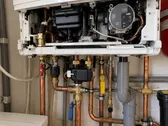
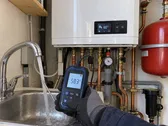
There is often no network in a crawl space or a plant room. The sheet fills in locally and syncs once there is a connection again.
Extra work on site
Work that comes up during the job goes on the sheet while the customer is still there. That is the moment extra work still gets paid for.
Signature on the screen
The customer signs off on the engineer's phone and receives the signed sheet by email straight away.
From signed sheet to invoice
Hours, materials and extra work from the signed sheet become the lines of the invoice. The office reviews and sends it, without retyping anything.
Common questions about job sheets
Does the app work without internet?
Yes. The engineer fills in the sheet locally on their phone and the app syncs once there is a connection again. In crawl spaces and plant rooms that is the difference between a completed sheet and one reconstructed from memory afterwards.
Can the customer sign on site?
Yes. The customer signs with a finger on the engineer's screen and receives the signed sheet by email immediately. That is the moment sign-off is easiest to get.
Does a job sheet become an invoice automatically?
The signed sheet holds the hours, materials and extra work, so the invoice is built from it without retyping. You review and send it from the office.
Can extra work be added to the sheet?
Yes, during the job. That is deliberate: extra work first raised back at the office has to be sold after the fact, and often is not.
Try digital job sheets on your own workflow
Start for free, or book a demo where we set up a sheet the way your engineers would fill it in.
